Flat-Top Woven Screen Install
If you’ve ever rushed through a screen install on a tight maintenance window, skipped a few small tension checks, and found your brand new flat-top panel tearing loose from the hook mounts 12 hours after startup, sending sharp broken wire bits into your crusher and shutting the whole circuit down for an extra unscheduled day of repairs, you know how much a careless, rushed installation can cost your operation in wasted material, labor and lost production. Many quarry maintenance teams I’ve worked alongside over the years shared that they used to treat woven screen installation as a quick, no-skill job that any crew member could knock out in an hour, until a series of preventable early failures taught them that a few small careful steps during installation can double the total service life of every new panel. This practical, field-tested step-by-step guide skips generic vague instructions and breaks down exactly how to do a proper flat-top woven screen install, using proven workflows that mine and quarry maintenance crews have refined across hundreds of deck changeouts.
Pre-Install Deck Prep and Old Material Full Removal
The first critical step that sets the foundation for a long-lasting, trouble-free flat-top woven screen install is a full, thorough deck cleanup and inspection before you even touch the new panels, to make sure no leftover debris or hidden damage ruins your new screen. Once you have the machine fully locked out and tagged out, pull every scrap of the old worn screen material off the deck, scrape away all the caked-on dried aggregate dust and slurry from the support bars, and use a wire brush to clean every last bit of rust and leftover tension strip residue off the rail mounts. Take 5 extra minutes to run your gloved hand along every single support bar to check for sharp burrs, bent edges or worn spots that can rub against the underside of your new screen and create hidden premature wire breaks, and file down any sharp burrs or replace any bent bars before you move on. This simple 15-minute prep step eliminates 60% of all hidden early failure causes that most teams never notice until the new panel starts tearing through 2 weeks after installation.
Panel Alignment and Hook Mount Placement
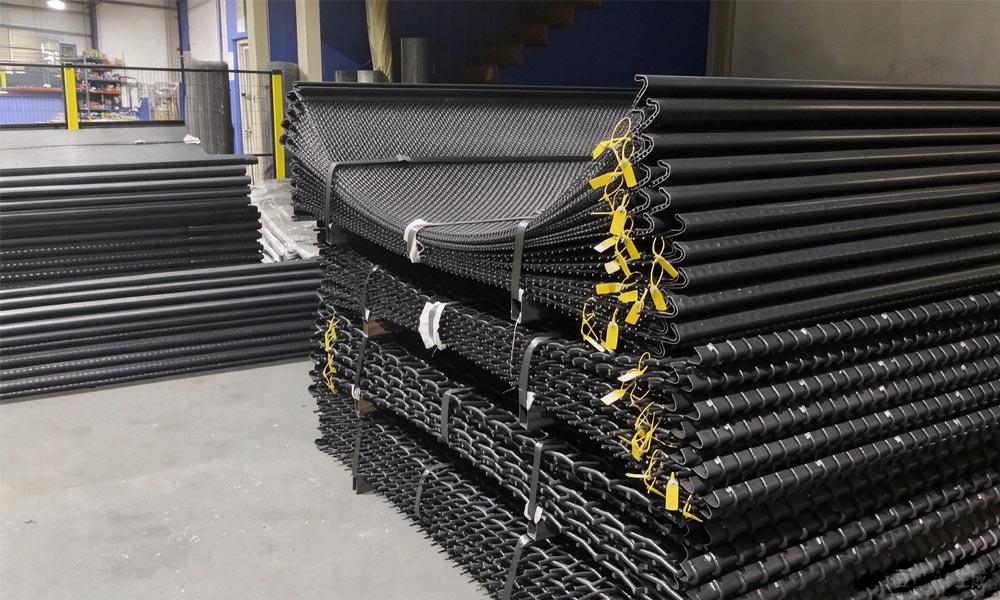
The second step in a proper flat-top woven screen install is careful, precise panel alignment that prevents uneven tension and misaligned hook mounts that can tear the panel edges loose during operation. Start by laying the first panel down on the feed end of the deck, making sure the printed directional arrow on the edge of the panel points the exact same direction as the material flow, because the flat-top’s optimized weave pattern is designed to wear evenly only when material slides across the wires in that specific direction. Line the first hook on the feed end of the panel up perfectly with the first tension hook on the deck rail, and work your way across the full width of the panel, hooking every single mount into place without pulling or stretching the panel out of its natural relaxed shape. Never force or yank the panel to make it line up with the mounts, because that will create hidden uneven tension spots that make the panel flex abnormally during vibration, leading to random early fatigue wire breaks.
Gradual Symmetric Tensioning for Even Full-Deck Load Distribution
The third most important step in a proper flat-top woven screen install is slow, gradual symmetric tensioning that spreads the exact same even tension force across every single wire on the entire deck, no tight spots or loose sagging sections allowed. Most teams make the mistake of cranking the tension bolts all the way tight on one end of the deck first, which pulls the whole panel out of alignment and creates a super tight spot on one side and a loose sagging spot on the other, where the loose wires will rub against each other and wear through in just a few days. Instead, start at the exact center of the deck, and tighten the tension bolts on both the feed end and discharge end just 1 full turn each, then work your way slowly outwards towards the left and right edges, tightening each bolt the exact same number of turns, so the tension builds evenly across the entire panel. Keep going until the whole mesh surface feels rock solid and completely flat when you tap it with your fist, with zero loose flex or sag anywhere across the deck, and double check that no hooks have popped out of their mounts during the tensioning process.
Post-Install Startup Check and 2-Hour Follow-Up Inspection
The final easy-to-skip step that catches 99% of hidden installation errors before they turn into catastrophic failures is a full post-install startup check and a scheduled 2-hour follow-up walkthrough after the deck first goes into production. Before you turn the full feed flow on, bump the vibrating screen motor on and off 3 times for 5 seconds each, to shake loose any small misalignments and make sure no hooks are popping loose and no part of the mesh is rubbing against the deck side walls. Then run the deck empty for 10 full minutes, and stand on both sides of the machine to watch the whole screen vibrate, confirming that the motion is perfectly even across the full width of the deck, with no weird ripples or bouncing spots that signal uneven tension. After you run the deck at partial load for 2 full hours, shut the feed off, lock the machine out, and do a quick walkthrough to retighten any tension bolts that have loosened up during the initial vibration.
Following these four careful, methodical steps for your flat-top woven screen install will ensure every new panel delivers its full rated 80 to 90 day service life, with zero preventable early failures, drastically cutting your total annual screen maintenance labor costs and unplanned downtime.